
Install Throughwalls
System requirements and installation steps for Throughwalls.
Throughwalls has two parts: the system installed on your server and the CLI you use from your local machine to manage it. Start by installing the system.
System Requirements
Throughwalls requires an SSD. With an HDD, the system will most likely not be usable.
The minimum system requirements are 400 GB of storage and 16 GB of RAM.
To support snapshots, the final Workspace receives less SSD storage and RAM than the server has. For storage, the Workspace receives about 20-25% of the total disk capacity. For RAM, the Workspace receives about 35-40% of the total memory.
An x86-64 processor is required.
Download the ISO
First, download the ISO image. Then boot the server from it to start the installer.
Installation
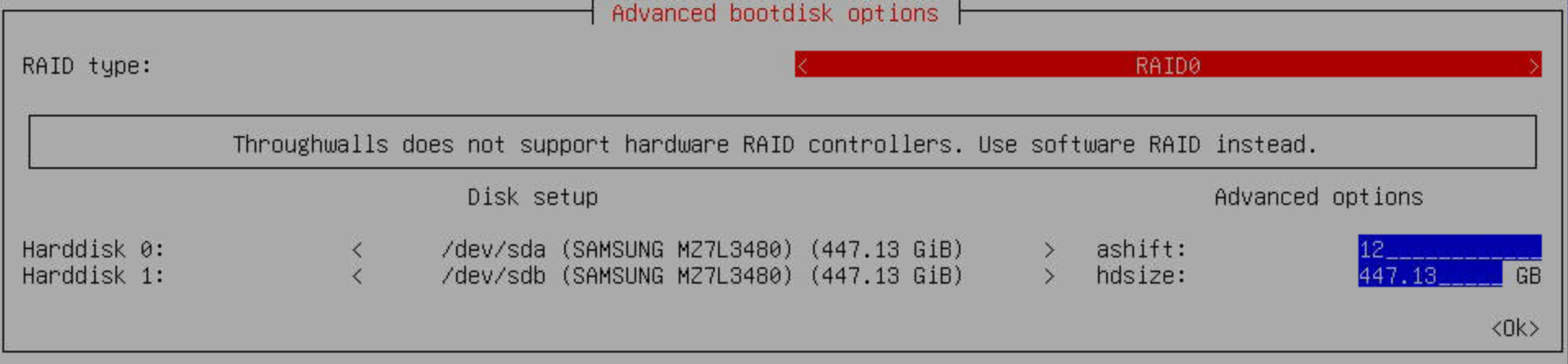
Storage Setup
RAID types:
RAID0
Uses the selected disk capacity without redundancy. If any selected disk fails, all data on the system will be lost.
RAID1
Mirrors data between disks. It uses less total capacity, but the system can survive a single disk failure.
RAID10
Combines mirroring and striping. It requires at least four disks and provides both redundancy and better performance.
ashift
Controls the disk sector alignment used when writing data. Leave the default value unless you know your drives require a specific sector size. This parameter usually does not need to be changed.
hdsize
Sets how much space, in GiB, the system can use.
Host Password
Create a host password.

Network Settings
Configure the network.

After Installation
After installation, do not log in to the system directly. Install the CLI on your local machine, then use it to log in and connect.